Qwen Image – Free AI Photo Creation & Graphic Editing
Create high-quality AI images from scratch, add bilingual text to your designs, and edit your photos instantly with pro-level effects.
Click or drag to upload a reference image
0/4
Pro Tip
Be specific about style, colors, mood, and details for best results
What is Qwen Image?
Qwen Image is a multi-purpose tool built for creators who need high-quality visuals without the steep learning curve of professional software. It blends a deep understanding of language with powerful image-making capabilities. Whether you are typing a prompt to generate a brand-new landscape or uploading a product photo to add localized captions, Qwen Image handles the details. It is specifically designed to understand both English and Chinese contexts, delivering 4K results that are ready for social media, marketing campaigns, or personal projects.
Why Choose Qwen Image?
Readable Text in Two Languages
The biggest problem with most AI art is that it can't "write." Qwen Image solves this by using a specialized typography engine. It can place clear, stylish English and Chinese text directly into your images. This makes it a go-to tool for making posters, book covers, and advertisements where the words are just as important as the picture.
A Style for Every Project
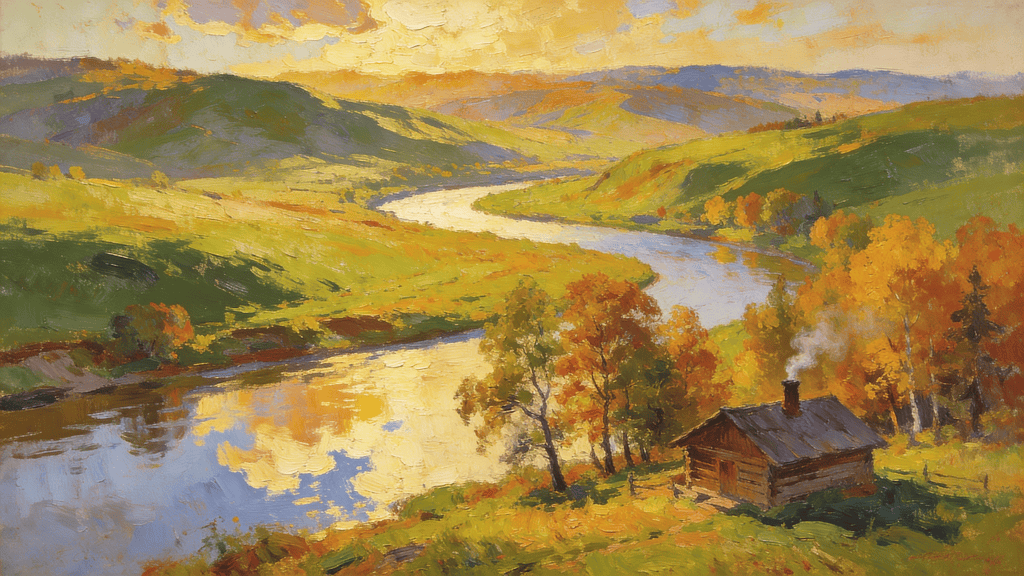
Qwen Image gives you a full library of artistic directions. You can choose the Urban style for sharp, realistic photography, or the Oil Painting mode for a textured, classic look. If you’re working on digital content, the Poster and Sticker modes offer clean, modern layouts that make your graphics pop on any platform.
Smart Editing for Existing Photos
You don’t always have to start from a blank canvas. Qwen Image’s Image-to-Image feature lets you upload your own photos and make specific changes. You can swap out a background, apply a new artistic style, or overlay a bilingual logo. The AI maintains the original lighting and shadows, ensuring your edits look like a natural part of the original shot.
How to Use Qwen Image
Describe Your Idea
Type your vision in plain English or Chinese. Be as detailed as you want about the subject and any text you want included. For example: "A modern bakery with a sign that says 'Fresh' in English and '新鲜' in Chinese."
Pick Your Style and Size
Select the best aspect ratio for your needs—square for posts, vertical for stories, or wide for web headers. Then, choose a style preset like Poster, Urban, or Sticker to instantly set the right mood for your generation.
Generate and Save
Hit the button and watch the AI build your 4K visual. Once you're happy with the result, you can download the watermark-free image in high resolution. If you need a different look, just tweak your prompt and try again.
What Our Users Say
"The bilingual text rendering is a game-changer. I can finally create professional posters with accurate Chinese characters without having to open Photoshop for hours of manual editing."
Wei Chen
International Marketing Manager
"I love the depth in the Oil Painting mode. It doesn't just look like a filter; it captures the texture of a real canvas. It’s my favorite tool for creating unique storytelling visuals."
Sarah Johnson
Content Strategist
"Adding labels to my product photography has never been easier. The AI matches the curve and lighting of the bottle perfectly, making the text look like it was part of the original photo."
Raj Patel
Localization Specialist
"As a content creator, I need fast, high-quality assets. Qwen Image’s Sticker and Urban modes give me the professional 4K look I need for my thumbnails in just a few clicks."
Emily Watson
Educational Content Creator
"The cultural awareness is impressive. It understands the specific color palettes and symbols used in different regions, which is essential for our global branding materials."
Carlos Mendez
Brand Consultant
"I use the Poster mode for all my event banners. It handles the layout and the negative space so well—it feels like I have a junior designer helping me out."
Yuki Tanaka
Digital Publisher
Frequently Asked Questions
How does Qwen Image handle English and Chinese text?
The model uses a built-in typography layer that understands the structure of both languages, ensuring that characters are sharp, legible, and properly spaced.
Can I use Qwen Image to edit my own photos?
Yes! You can upload any photo and use a prompt to add new elements, change the artistic style, or overlay text while keeping the main subject intact.
What are the most popular styles available?
Users love the Urban mode for realistic shots, Oil Painting for creative art, and the Poster and Sticker modes for social media and design projects.
Is the output quality high enough for printing?
Yes. Qwen Image supports high-resolution 4K exports, which provide the clarity needed for professional digital displays and high-quality physical prints.
Do I need to sign up to start creating?
You can explore the basic features immediately, but logging in allows you to save your projects and claim your daily creative credits.
Are the images watermark-free?
Yes. All images you generate and download from Qwen Image are watermark-free, making them suitable for both personal and commercial use.
Does it understand complex cultural prompts?
Absolutely. Qwen Image is trained on global data, enabling it to accurately interpret regional styles, traditional symbols, and nuanced cultural references.
How do my free credits refresh?
Registered users receive 10 free credits every 24 hours. This daily balance allows you to generate and download professional-grade visuals for free every day.
Experience Intelligent Image Generation
Create culturally aware, accurate images with Qwen Image. Generate and edit your professional 4K visuals for free today.